Creating Requests with Authorization
KeyRunner offers secure authorization methods like Basic Auth, OAuth 2.0, Bearer Tokens, and API Keys. These credentials are encrypted and stored on the file system, hidden from the UI, and can be managed as environment variables.
Setting Authorization:
- Choose the desired authorization method within the request settings.
- Enter the encrypted credentials or set environment variables.
Types of Authorization:
- Basic Auth: Username and password encrypted and securely stored.
- OAuth 2.0: Access tokens for secure authorization workflows.
- Bearer Token: Token-based authentication for requests.
- API Key: Securely store API keys for authentication purposes.
These methods ensure secure access to APIs while maintaining encryption and allowing flexible management of credentials.
Using OAuth Client Credentials with Nested Collections
This guide explains how to configure OAuth client credentials at a parent folder or collection level and ensure requests inherit the authorization correctly through nested structures.
1. Configure OAuth Client Credentials at the Parent Level
- Open the parent collection or folder where you want the authorization to live.
- Go to the Authorization tab.
- Select OAuth2 (Client Credentials).
- Enter:
- Token URL
- Client ID
- Client Secret
- Scope (if required)
- Save the configuration.
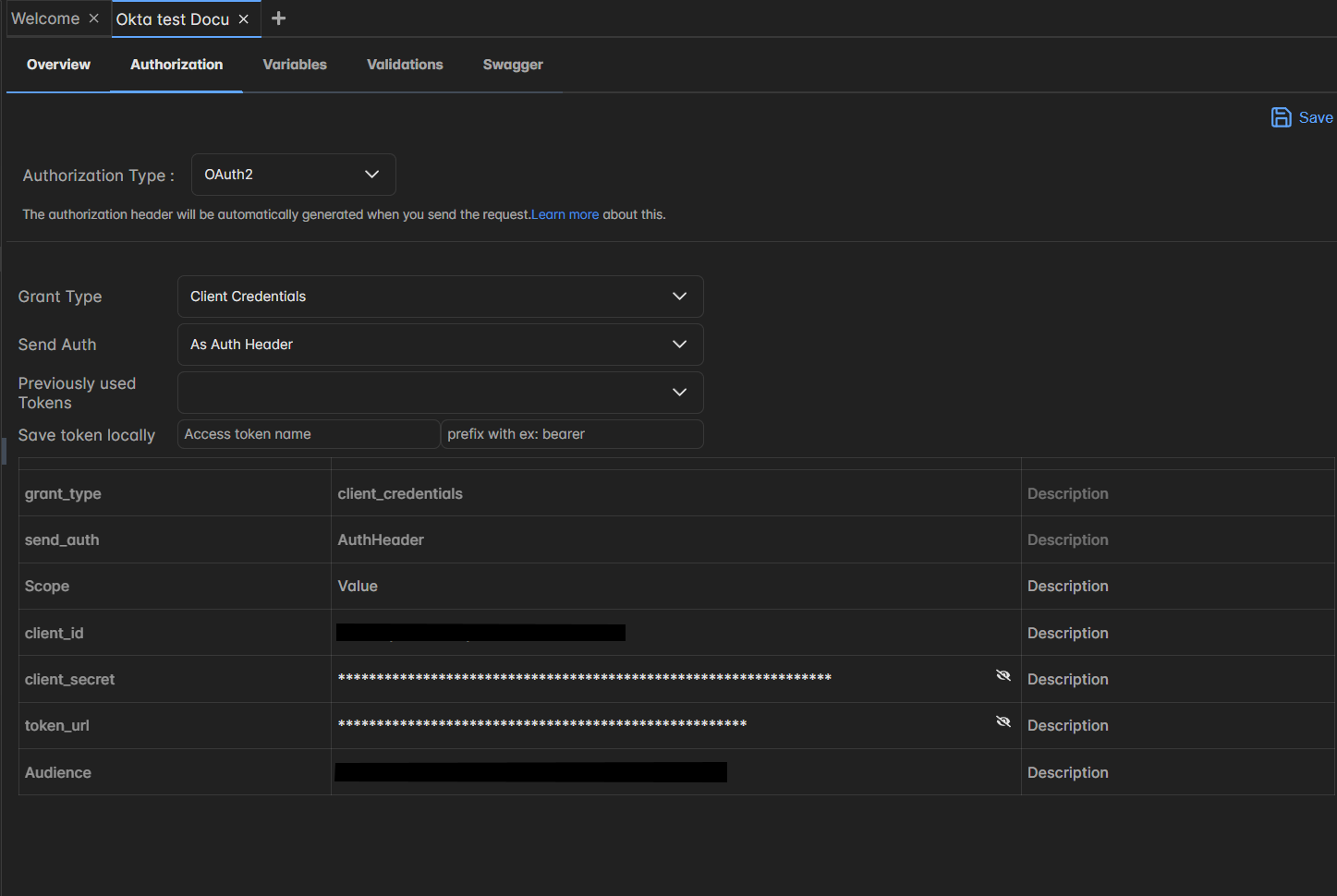
All child folders and requests can now inherit this authorization.
2. Create a Request and Inherit Authorization
- Create a new request anywhere under the parent folder or collection.
- Open the Authorization tab for the request.
- Set Authorization Type to Inherit from parent.
The request will now use the OAuth client credentials defined at the parent level.
3. Important: Inheritance Must Be Continuous
If you have multiple levels, for example:
- Parent Collection
- Child Collection
- Request
- Child Collection
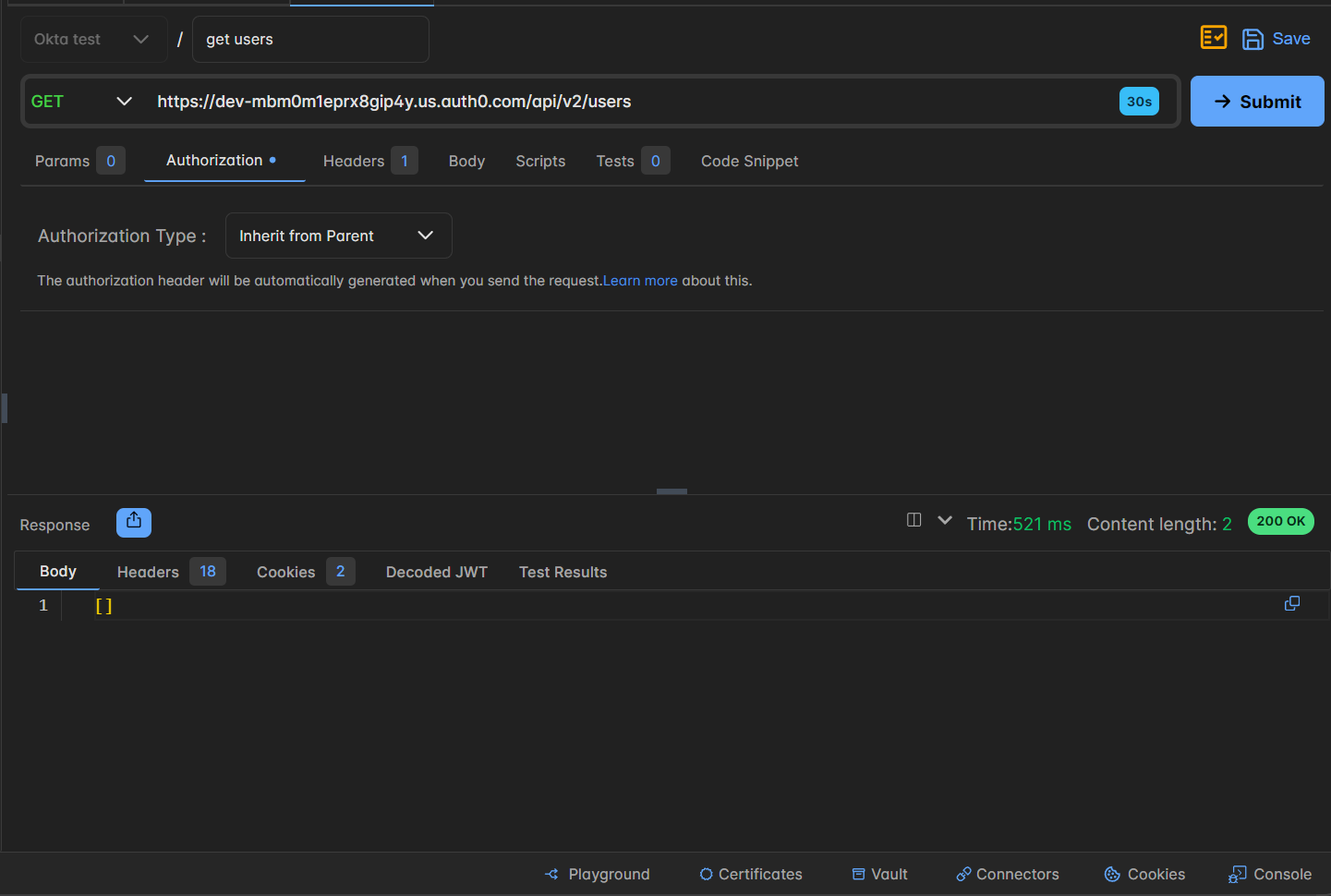
Then inheritance must remain unbroken:
- Child Collection must have Authorization set to Inherit from parent.
- Request must also have Authorization set to Inherit from parent.
If any level sets a different authorization type, the chain breaks and OAuth will not be applied to the requests below that point.
4. Summary
- Configure OAuth Client Credentials only once at the top level.
- Every folder and request beneath must inherit authorization.
- A single folder that overrides the setting will prevent OAuth from being applied to its children.
Keeping inheritance consistent ensures the authorization is automatically applied without manually configuring each request.